
On your phone? Uploading works best on a computer. Send yourself this page and finish there.
Send your imaging, payment and a brief symptom summary. Dr. Cho will review everything within 72 hours.
You’ll create an account and upload your imaging in Intelerad’s secure ImageShare portal, then email a short summary to Dr. Cho’s office. You’ll need:
On the disc, USB or ZIP from your imaging center
Uploading your imaging works best on a computer, not a phone
To set up your ImageShare account, pay and upload
Email it after you upload your imaging. Include your symptoms and any surgery you’ve been advised to have.
Or email info@chosenspineandneuro.com
Dr. Cho’s office can help you request them from your imaging center. Call 346-625-4300.
Mailing a disc or USB drive instead? Skip to the options below.
Enter your email, name and a password in ImageShare. Read and accept the required acknowledgements.
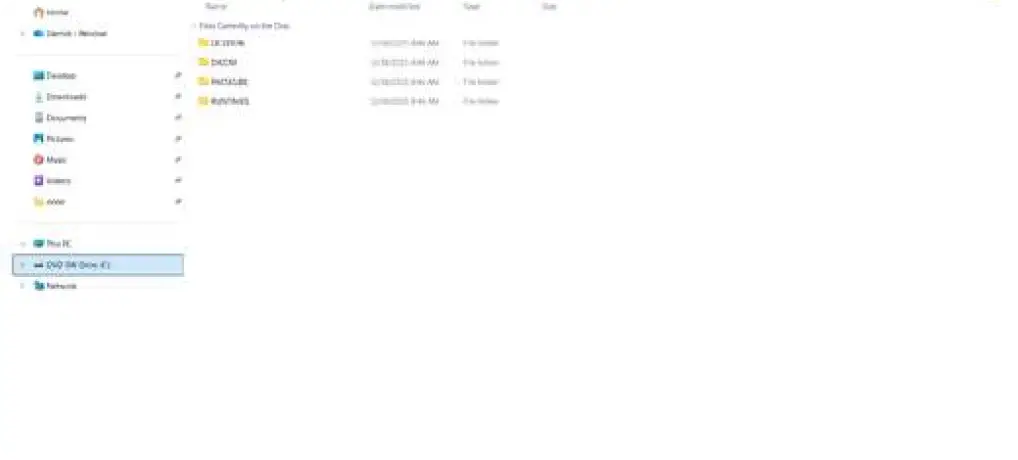
Select the CD/DVD or USB drive that contains your complete study.
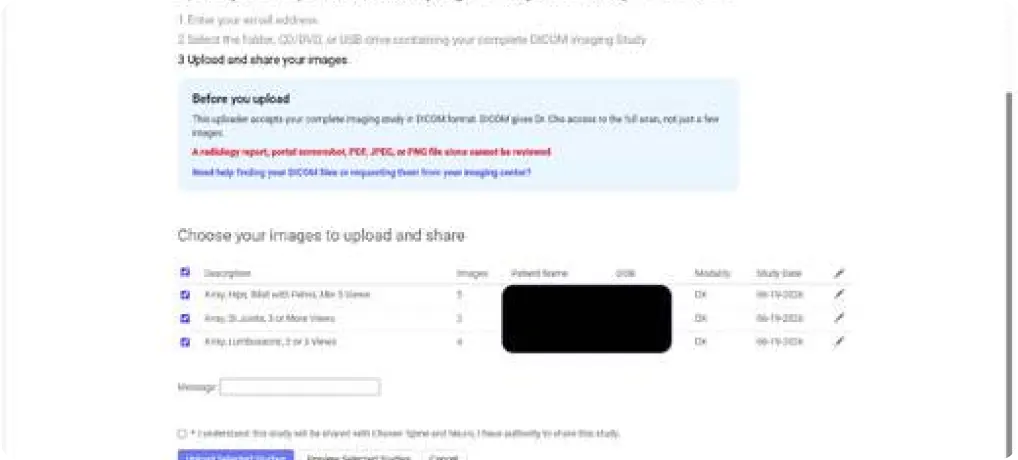
Check the study or studies Dr. Cho should review and confirm you have authority to share them.
Enter your card, check the $95 charge acknowledgment, then select Charge Card, Upload and Share Selected Studies.
After you select the appropriate drive, the program automatically finds the proper image files (DICOM). Please do not attempt to upload PDFs, screenshots, JPEGs or PNGs — the system will not accept these file types.
Dr. Cho needs the complete DICOM imaging study provided from your imaging center.
DICOM files preserve the full scan series, image detail and technical information used to evaluate anatomy across every slice. A PNG, JPEG or PDF report shows only part of the exam and we cannot perform an assessment without the DICOM file.
After you select the appropriate drive, the program automatically finds the proper image files (DICOM). Please do not attempt to upload PDFs, screenshots, JPEGs or PNGs.
Give us a call. We’ll explain exactly what to request from your imaging center so you can obtain the complete DICOM study.
Physical media, such as CD/DVDs or USB drives, can be dropped off or mailed to our office.
17450 St. Lukes Way, Suite 390 The Woodlands, TX 77384
Mon – Thurs: 8:30 am – 5:00 pm
Fri: 8:30 am – 12:00 pm
Already in ImageShare? Here’s what the screens look like when you choose your files and confirm the upload.
The complete DICOM imaging study. A radiology report can be helpful, but it cannot replace the full scan.
DICOM is the standard format for medical imaging. It preserves the full scan series and technical information Dr. Cho needs.
Contact the imaging center that performed your scan and ask for the complete DICOM study. Call our office if you need help with the request at 346-625-4300.
Usually not. Portals often provide individual images in unsupported formats. A facility-provided DICOM folder or ZIP file (commonly provided on a CD/DVD or USB drive) is required.
It begins once we receive a complete, readable imaging study, your $95 payment and a brief description of your symptoms and surgical plan. Please email the description to info@chosenspineandneuro.com.
Call Chosen Spine & Neuro at 346-625-4300. Our team can help you with your imaging request.
Continue when you have your complete DICOM study, or call us if you need help obtaining it.
Create your secure request, complete payment and upload the complete imaging study for Dr. Cho’s review.
Our team can explain exactly what to request from your imaging center so you can submit a complete study.